
Calculator Blog
Categories: Web Development Hacks Breadcrumb: /calculatorA writeup of our changes to the calculator
This is the original calculator (https://pages.opencodingsociety.com/calculator):
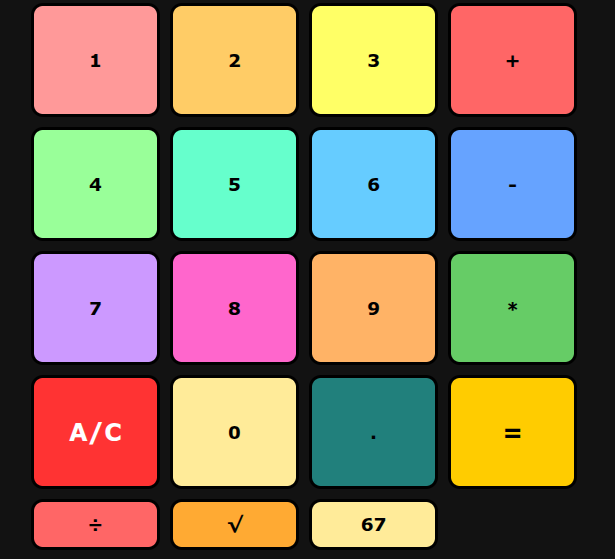
This is our new and improved version (https://compsciteam.github.io/student/calculator):
Our changes
We made multiple improvements and quality-of-life upgrades for the calculator. Here’s what we changed:
- Added the division button
- Division was missing before—now it’s here!
- All four basic operations are fully supported.

- Right-aligned results
- Numbers now align to the right, just like on a real calculator.
- Makes reading long numbers easier and cleaner.

- Colored numbers
- Each number now has its own color to make the interface more lively.
- Small visual change, but it makes using the calculator more fun.
- Keyboard input
- Before, you had to click buttons to type numbers.
- Now you can type directly on your keyboard, which speeds things up a lot.
- Square Root Operator
- Before, there was no operator to square root numbers
- Now you can click a number, then the square root button and it’ll give you the answer.
- New 67 button
- Before, the only numbers you could put in were 0-9.
- Now you can directly choose the number 67.
Play our new-and-improved calculator at compsciteam.github.io/student/calculator!
Made by Subteam 2: Pranay Kamath, Krish Kelegari, and Samarth Hande (and Vihaan Budhraja, who left us for the lighter side 😂)