
Snake Blog
Categories: Web Development Hacks Breadcrumb: /snakeA writeup of our changes to snake
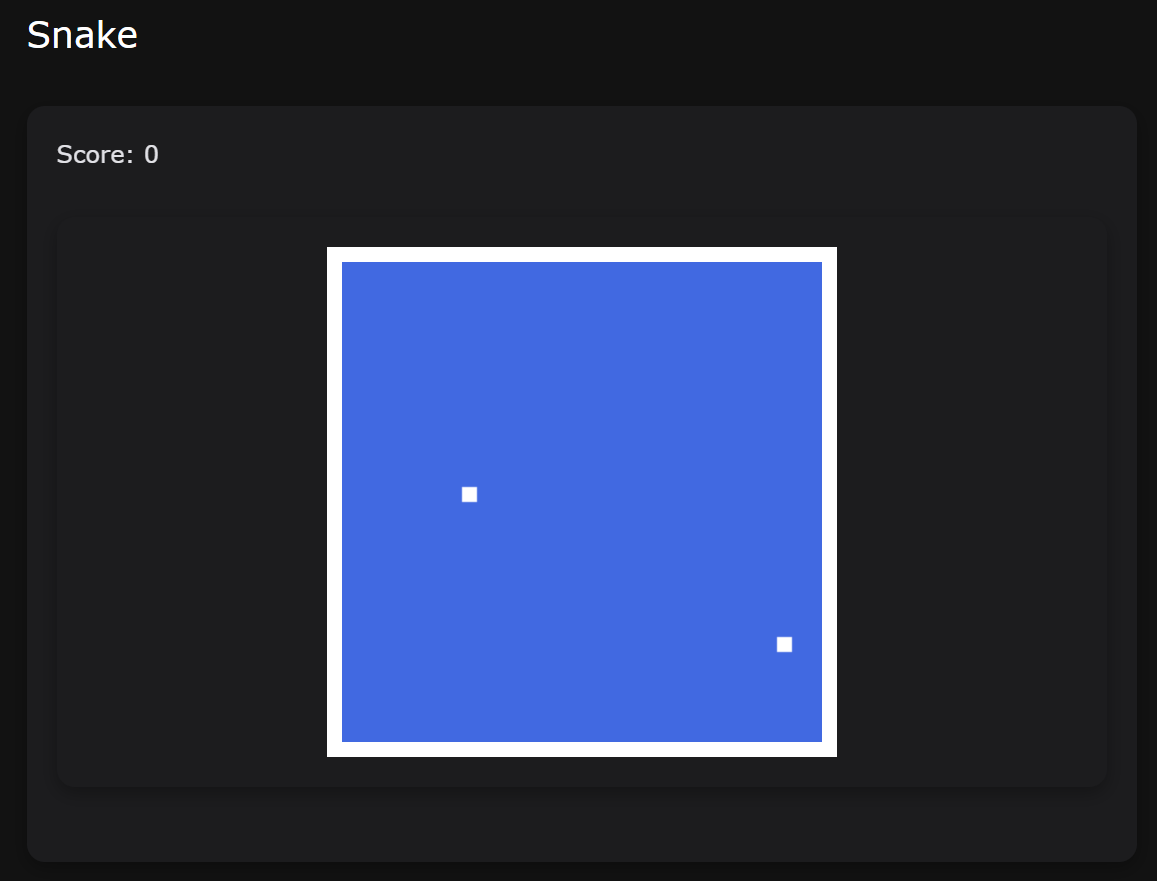
This is the original snake game (https://pages.opencodingsociety.com/snake):
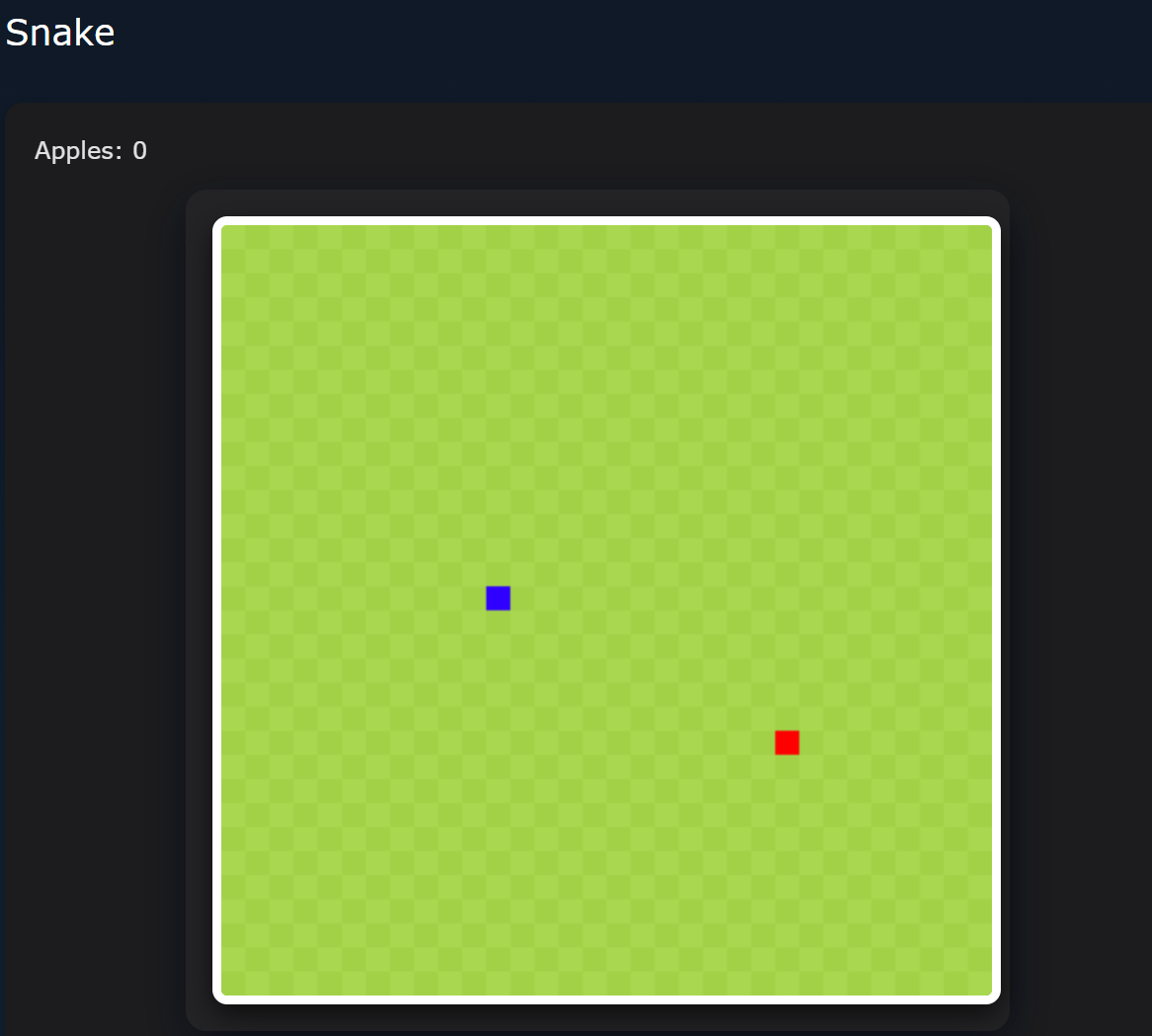
This is our new and improved version (https://compsciteam.github.io/student/snake)
Additionally, we make a new and improved settings screen:
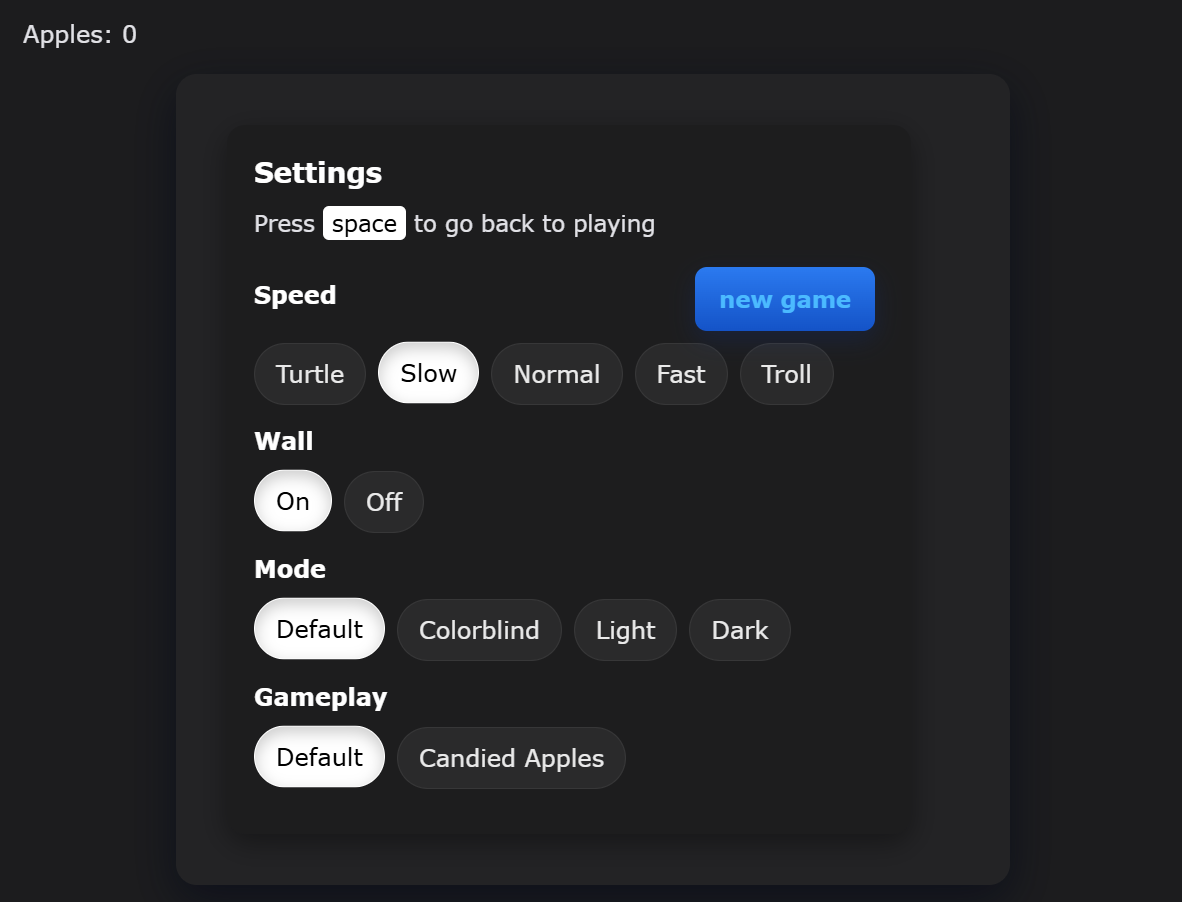
(Note: This image is outdated and needs to be replaced to include the Fruit Frenzy option)
Our changes
We have made multiple quality-of-life improvements and bugfixes for Snake. Below is a list of all the modifications we made.
Changed “Points: __” to “Apples: __“
Show code
<p class="fs-4">Apples: <span id="score_value">0</span></p>
Added WASD controls
- Arrow keys could cause the page to scroll up and down. Adding WASD controls allowed for increased user flexibility and prevents this scrolling issue.
Show code
let changeDir = function(key){
    switch(key) {
        case 37: case 65: // left arrow / 'A'
            if (snake_dir !== 1) snake_next_dir = 3;
            break;
        case 38: case 87: // up arrow / 'W'
            if (snake_dir !== 2) snake_next_dir = 0;
            break;
        case 39: case 68: // right arrow / 'D'
            if (snake_dir !== 3) snake_next_dir = 1;
            break;
        case 40: case 83: // down arrow / 'S'
            if (snake_dir !== 0) snake_next_dir = 2;
            break;
    }
}
canvas.onkeydown = function(evt) {
    changeDir(evt.keyCode);
}
Changed background theme
- The background is, by default, checkered light and dark green. We added different color schemes to add even more flexibility, including light theme, dark theme, and colorblind mode.
Show code
function applyMode(mode){
    switch(mode){
        case 'colorblind':
            color_light_tile = '#ffd97a'; color_dark_tile  = '#ffd15a';
            color_snake = '#0000ff'; color_apple = '#ff00ff';
            break;
        case 'light':
            color_light_tile = '#f0f8e8'; color_dark_tile  = '#dfeccf';
            color_snake = '#0b63d6'; color_apple = '#d32f2f';
            break;
        case 'dark':
            color_light_tile = '#355a2b'; color_dark_tile  = '#243b1b';
            color_snake = '#1e90ff'; color_apple = '#ff6b6b';
            break;
        default:
            color_light_tile = '#a9d750'; color_dark_tile  = '#a2d148';
            color_snake = '#2f00ffff'; color_apple = '#ff0000ff';
    }
    // repaint if playing
    if(snake && snake.length){
        for(let y = 0; y < canvas.height / BLOCK; y++) {
            for(let x = 0; x < canvas.width / BLOCK; x++) {
                ctx.fillStyle = ((x + y) % 2 === 0) ? color_light_tile : color_dark_tile;
                ctx.fillRect(x * BLOCK, y * BLOCK, BLOCK, BLOCK);
            }
        }
        for(let i = 0; i < snake.length; i++) activeDot(snake[i].x, snake[i].y);
        activeApple(food.x, food.y);
    }
}
Added two new game modes!
- “Candied Apples”, where the snake exponentially speeds up every time it eats an apple.
Show code
if(current_gamemode === 'candied'){
    const newSpeed = Math.max(6, Number(snake_speed) - 5);
    setSnakeSpeed(newSpeed);
}
- “Fruit Frenzy”, where a golden apple that bounces around can be eaten for 3 points. 40% chance of spawning on eating an apple.
Show code
// Code to spawn golden fruit
if(current_gamemode === 'fruit_frenzy' && Math.random() < 0.4 && !goldenFood.active){
    let gx = Math.floor(Math.random() * ((canvas.width / BLOCK) - 1));
    let gy = Math.floor(Math.random() * ((canvas.height / BLOCK) - 1));
    goldenFood.x = gx; goldenFood.y = gy;
    goldenFood.vx = (Math.random() < 0.5) ? 1 : -1;
    goldenFood.vy = (Math.random() < 0.5) ? 1 : -1;
    goldenFood.active = true;
}

// Code to move the fruit
if(goldenFood.active){
    let nextX = goldenFood.x + goldenFood.vx;
    let nextY = goldenFood.y + goldenFood.vy;
    if(nextX < 0 || nextX >= canvas.width / BLOCK) goldenFood.vx *= -1;
    if(nextY < 0 || nextY >= canvas.height / BLOCK) goldenFood.vy *= -1;
    goldenFood.x = nextX;
    goldenFood.y = nextY;
}
We made the snake blue and the apple red
Show code
let activeDot = function(x, y){
    ctx.fillStyle = color_snake; // blue snake
    ctx.fillRect(x * BLOCK, y * BLOCK, BLOCK, BLOCK);
}
let activeApple = function(x, y){
    ctx.fillStyle = color_apple; // red apple
    ctx.fillRect(x * BLOCK, y * BLOCK, BLOCK, BLOCK);
}
Cleaned up the settings UI significantly :)
Show code
#setting input{ display:none; }
#setting label{ cursor: pointer; }
#setting input:checked + label{ background-color: #FFF; color: #000; }

#setting {
    display: flex;
    justify-content: center;
    align-items: center;
    padding: 1rem;
}
.settings-card{
    width: 100%;
    max-width: 420px;
    background: rgba(0,0,0,0.18);
    border-radius: 12px;
    padding: 18px;
    box-shadow: 0 6px 18px rgba(0,0,0,0.35);
    text-align: left;
}
.settings-title{
    font-size: 1.15rem;
    margin-bottom: 8px;
    font-weight: 600;
    color: #fff;
}
.setting-group{
    margin: 12px 0;
}
.option-row{
    display: flex;
    gap: 8px;
    flex-wrap: wrap;
    margin-top: 8px;
}

#setting input + label{
    display: inline-block;
    padding: 8px 14px;
    border-radius: 999px;
    background: rgba(255,255,255,0.06);
    color: #eaeaea;
    border: 1px solid rgba(255,255,255,0.06);
    transition: all 0.15s ease-in-out;
    user-select: none;
}
#setting input:checked + label{
    background-color: #fff;
    color: #000;
    box-shadow: 0 4px 10px rgba(0,0,0,0.2) inset;
    transform: translateY(-1px);
}
#setting p{ color: #f1f1f1; }

@media (max-width: 520px){
    .game-shell{ padding: 12px; border-radius: 10px; }
    .screen-card, .settings-card{ margin: 10px; padding: 14px; }
    canvas{ border-width: 4px; }
}
Added two more game speeds
Show code
<div class="option-row">
    <input id="speed_turtle" type="radio" name="speed" value="220"/>
    <label for="speed_turtle">Turtle</label>
    <input id="speed1" type="radio" name="speed" value="120" checked/>
    <label for="speed1">Slow</label>
    <input id="speed2" type="radio" name="speed" value="75"/>
    <label for="speed2">Normal</label>
    <input id="speed3" type="radio" name="speed" value="35"/>
    <label for="speed3">Fast</label>
    <input id="speed_troll" type="radio" name="speed" value="8"/>
    <label for="speed_troll">Troll</label>
</div>